Twitter DM Automation: Everything You Need to Know in 2026
Twitter DM automation explained for 2026: how to automate X DMs safely, pick the right tool, personalize with AI, and book meetings across LinkedIn, X, Instagram, and email.

Twitter DM automation is the use of software to find the right people on X, send personalized direct messages at scale, follow up, and route replies, without sending each message by hand. Done well in 2026, it is not mass spam: AI writes a unique message per prospect, warm-up engagement builds familiarity first, and qualified replies get booked to your calendar. The biggest shift this year is that DMs no longer run in isolation. The best results come from coordinating X with LinkedIn, Instagram, and email in one signal-driven sequence.
This complete guide to Twitter DM automation covers what it is, how it works, the different approaches, how to choose a tool, and how to launch without risking your account. It also shows where X fits inside a modern multichannel motion.
Table of Contents
- What is Twitter DM Automation?
- Why Businesses Use Twitter DM Automation
- Types of Twitter DM Automation
- How Twitter DM Automation Works
- Twitter DMs Are Now One Channel of Four
- Choosing the Right Twitter DM Automation Tool
- Twitter DM Automation Best Practices
- Common Twitter DM Automation Mistakes
- The Future of Twitter DM Automation
- Getting Started with Twitter DM Automation
- Key Takeaways
- FAQ
What is Twitter DM Automation?
Twitter DM automation is the use of software tools to send, manage, and respond to direct messages on Twitter (X) at scale. Instead of manually crafting and sending each message one by one, automation handles the repetitive parts while you focus on conversations that convert.
At its simplest, DM automation sends pre-written messages to targeted users. At its most sophisticated, it uses AI to write unique, personalized messages, engage with prospects before reaching out, and handle entire conversations autonomously.
Core capabilities of modern Twitter DM automation tools:
- Prospecting: Finding and targeting the right accounts to message
- Warm-up engagement: Liking and replying to content before DMing
- Personalized messaging: Crafting unique messages based on prospect data
- Follow-up sequences: Automated follow-ups for non-responders
- Conversation management: Handling replies and routing qualified leads
- Meeting booking: Converting interested prospects into scheduled calls
The key distinction between automation and spam is intent and execution. Spam sends identical messages to everyone hoping something sticks. Twitter DM automation uses technology to deliver personalized outreach at scale while maintaining the quality of 1:1 communication. For a deeper look at staying inside the rails, see our guide on how to automate Twitter DMs without getting banned.
Why Businesses Use Twitter DM Automation
The numbers make a compelling case for automating DM outreach on X:
- Higher response rates: Twitter DMs see 30-40% open rates vs. 20-25% for cold email
- Less competition: Most businesses still focus on email, leaving DMs underutilized
- Real-time engagement: Prospects are actively browsing when they see your message
- Warmer channel: DMs feel more personal than cold email
- Decision-maker access: Executives are active on Twitter who don't answer cold calls
But manual DM outreach doesn't scale. A sales rep might send 20-30 personalized DMs per day manually. With Twitter DM automation, that same rep can reach 50-75 qualified prospects daily without sacrificing personalization.
The math is simple:
| Approach | DMs/Day | Response Rate | Conversations/Week | Meetings/Month |
|---|---|---|---|---|
| Manual | 25 | 35% | 44 | 8-12 |
| Automated | 60 | 35% | 105 | 20-28 |
Automation doesn't just save time. It fundamentally changes what's possible for your Twitter outreach strategy. If you want the broader playbook, read our complete guide to Twitter/X lead generation.
Types of Twitter DM Automation
Not all DM automation is created equal. Understanding the different approaches helps you choose the right strategy for your goals.
Basic Auto-DM (Welcome Messages)
The simplest form of Twitter DM automation: sending a preset message when someone follows you or takes a specific action.
How it works:
- User follows your account
- Automation triggers a welcome DM
- Same message sent to everyone
Pros:
- Easy to set up
- Captures engaged followers
- No manual effort required
Cons:
- Low personalization
- Can feel spammy
- Limited targeting
- Often ignored by recipients
Best for: Community building, simple announcements, low-stakes engagement
Template-Based DM Outreach
Sending pre-written message templates with basic personalization (name, company, job title) to targeted lists.
How it works:
- Build a list of target prospects
- Write message templates with merge fields
- System sends templates, filling in basic data
- Manual or semi-automated follow-ups
Pros:
- More targeted than auto-DMs
- Some personalization possible
- Scales reasonably well
Cons:
- Templates often feel templated
- Limited to basic merge fields
- Repetitive messaging triggers spam detection
- Requires constant template testing
Best for: Teams testing DM outreach before investing in more sophisticated Twitter automation tools
AI-Powered Personalized DM Outreach
Using artificial intelligence to write unique messages based on prospect data, tweets, and context.
How it works:
- AI analyzes prospect's profile, bio, and recent tweets
- Generates unique message referencing specific content
- Personalization goes beyond name/company to actual conversation starters
- AI can handle responses and continue conversations
Pros:
- Each message is genuinely unique
- References actual prospect content
- Feels like human outreach at scale
- Avoids spam detection
- Handles conversations autonomously
Cons:
- More expensive than basic tools
- Requires quality AI training/prompting
- Still needs human oversight for complex conversations
Best for: B2B sales teams, agencies, anyone prioritizing quality over quantity
Full-Funnel Twitter DM Automation
Complete automation from prospecting through meeting booking, with AI handling the entire process.
How it works:
- Define ideal customer profile
- System finds and qualifies prospects automatically
- Warm-up engagement builds familiarity
- AI sends personalized outreach
- AI handles objections and qualifies interest
- Qualified prospects get booked directly to calendar
Pros:
- True hands-off lead generation
- Consistent pipeline on autopilot
- AI improves over time
- Maximum efficiency
Cons:
- Highest cost tier
- Requires trust in AI quality
- Less control over individual messages
Best for: Scaling companies, founders who need leverage, teams without dedicated SDRs. This is where platforms like Autoreach live, and where the new glass-box AI tooling (covered below) removes the usual "less control" downside.
How Twitter DM Automation Works (Technical Overview)
Understanding the technical side helps you evaluate Twitter automation tools and troubleshoot issues.
Account Authentication
Automation tools connect to your Twitter account through various methods:
API Access: Official Twitter API provides sanctioned access but with strict rate limits and expensive pricing tiers. Most automation features require Enterprise API access ($42,000+/year).
Browser Automation: Tools control a browser session logged into your account, simulating human actions. This is how most DM automation works, since the API restricts DM access.
Session Tokens: Some tools use your account's session cookies to make requests directly, avoiding the need to run a full browser.
Each method has trade-offs between reliability, detection risk, and capability. The most resilient modern tools use browser-grade TLS fingerprinting, so requests are indistinguishable from a real human at the packet level rather than looking like an obvious bot.
Prospect Targeting for Twitter DM Campaigns
Modern Twitter DM automation tools build prospect lists through several methods:
Follower Extraction: Pull followers from competitor accounts, industry influencers, or relevant accounts in your space. See our walkthrough on extracting followers from any Twitter account.
Engagement Scraping: Find users who liked, retweeted, or replied to specific tweets.
Keyword Monitoring: Track users tweeting about relevant topics or using specific hashtags.
Bio Search: Find users whose bios contain target keywords (job titles, companies, industries).
Signal Detection: The newest and most effective method. Instead of static lists, the system watches X 24/7 for buying signals (pain points, tool-evaluation threads, hiring spikes, funding, role changes, and direct intent like "anyone recommend a tool for...") and surfaces people the moment they show interest. This is the difference between cold-list spray and reaching someone at the moment of intent. We cover it in depth in signal-driven outbound: why timing beats messaging.
Message Personalization Levels
The sophistication of personalization varies dramatically across Twitter DM automation tools:
Level 1 - Basic Merge Fields
Hi {first_name}, I noticed you're the {job_title} at {company}...
Level 2 - Content-Aware Templates
Hi {first_name}, loved your tweet about {recent_tweet_topic}.
Quick question about {relevant_topic}...
Level 3 - AI-Generated Unique Messages
Hey Sarah, your thread on building remote sales teams
was spot-on, especially the point about async communication
for different timezones. We're helping teams like yours
at TechCorp scale outreach without adding headcount...
Higher personalization levels require more sophisticated AI and access to richer prospect data. The best 2026 tools let you see and edit the AI's reply before it sends, so Level 3 quality no longer means giving up control.
Safety Mechanisms in Twitter DM Automation
Quality automation tools include protections to keep your account safe:
- Rate limiting: Staying within Twitter's undisclosed action limits
- Randomized delays: Human-like pauses between actions
- Activity distribution: Spreading actions throughout the day
- Warm-up protocols: Gradually increasing activity for new accounts
- Warning detection: Pausing when Twitter shows warning signs
- Per-account behavioral profiles: Each account behaves like its own human, not a fleet of identical bots
- Dedicated ISP proxy: A clean, residential-grade IP so your traffic does not share a flagged address
Twitter DMs Are Now One Channel of Four
Here is the reality that has changed most since this topic first got popular. Buyers do not live on a single platform, and the strongest outbound programs in 2026 do not either. A modern outreach engine like Autoreach runs one sequence across four channels:
- LinkedIn: connection requests, DMs, and warm-up engagement
- X (Twitter): DMs and reply-based engagement, the focus of this guide
- Instagram: DMs, follows, and story views for creator and consumer-adjacent niches
- Email: Gmail and Outlook with smart routing (Gmail-to-Gmail, Outlook-to-Outlook) for deliverability
Why this matters for Twitter specifically: a prospect who ignores your DM might reply to a thoughtful comment on their post, then accept a LinkedIn connection, then answer an email. The channels reinforce each other. A Twitter-only approach leaves most of that compounding effect on the table.
Two operating modes make this practical:
- Autopilot: a fully automated web app that finds buyers, sends across channels, handles replies, and books meetings while you do other work.
- Copilot: a Chrome extension that reads your live LinkedIn and X DMs and suggests the next reply in real time, so you stay in the driver's seat. Same AI, same data, same CRM as Autopilot.
Most competitors sell only one of these. Having both means you can let routine threads run on Autopilot while you personally steer high-value conversations with Copilot.
If you are not sure who is even worth messaging, the free Buyer Signal Scan lets you paste a website and get named decision makers with verified LinkedIn profiles plus a suggested angle per person, in about 20 seconds, no login required.
Choosing the Right Twitter DM Automation Tool
The market has dozens of tools claiming to offer DM automation. Here's how to evaluate them. For a head-to-head breakdown, see our roundup of the best Twitter automation tools compared.
Must-Have Features for Twitter DM Automation Tools
1. Account Safety Protections Non-negotiable. The tool must have built-in rate limiting, warm-up features, human-like behavior patterns, and ideally a dedicated proxy. If a tool lets you send unlimited DMs with no guardrails, it will get you banned.
2. Real Personalization You Can Edit Basic merge fields aren't enough in 2026. Look for AI-powered message generation that references actual prospect content, and that lets you see and edit every reply before it sends. If every message could plausibly be sent to anyone, your response rates will suffer.
3. Targeting and Signal Flexibility You should be able to build prospect lists from multiple sources: follower extraction, engagement scraping, bio search, manual uploads, and real-time buying signals. Limited targeting means limited results.
4. Conversation Handling What happens when someone replies? Basic tools dump everything into your DMs for manual handling. Better tools can route, categorize, or even respond to replies automatically while still letting you approve the wording.
5. Multichannel Reach Twitter alone is rarely enough. The strongest tools let one sequence span X, LinkedIn, Instagram, and email so you meet prospects where they actually respond.
6. Analytics and Iteration You need visibility into what's working: response rates by message variant, best times to send, which prospect sources convert best. Without data, you're guessing.
The Glass-Box Difference: The Conversation Simulator
The single biggest objection to AI-driven DMs is loss of control. You hand the keys to a black box and hope it does not say something off-brand. The fix is a glass-box approach.
Autoreach's Conversation Simulator lets you:
- See and edit every AI reply before it sends
- A/B test two prompts side by side and watch how each would respond
- Edit the underlying prompts per offer and per sequence, not just pick from canned templates
- Train the AI's voice on your past best DMs so it sounds like you
This is the opposite of tools that lock you into templates or hide their prompts. You get Level 3 personalization and full editorial control at the same time.
Red Flags to Avoid in Twitter Automation Tools
No rate limits: Tools promising "unlimited DMs" are setting you up for suspension.
Outdated architecture: Browser extensions that haven't been updated in years won't handle Twitter's current detection.
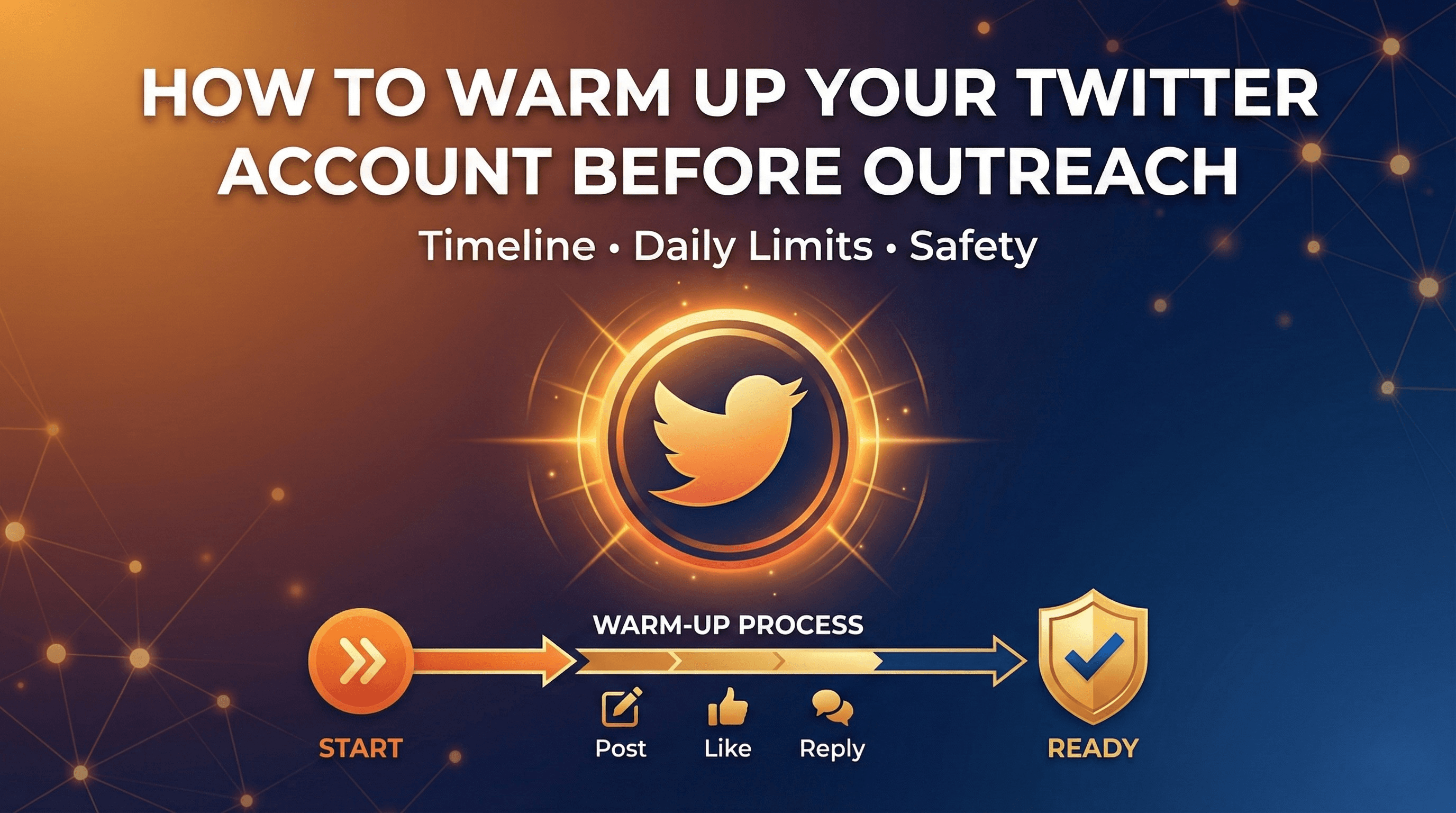
No warm-up features: Jumping straight into mass outreach is how accounts get banned. Start with our guide on warming up your Twitter account before outreach.
Template-only messages: If you can't personalize beyond first name and company, expect low response rates.
Black-box AI: If you can't see or edit what the AI is about to send, you are gambling with your reputation.
No customer support: When (not if) you have issues, you need help fast.
How Pricing Actually Compares
The old playbook was to win on being the cheapest tool. That is the wrong lens. Most "affordable" DM tools do one slice of the job, so you end up buying three or four of them: one for lead discovery, one for warm-up, one for sequencing, one for AI replies. Stacked together, that runs far more than a single all-in-one platform.
| Autoreach | Typical point tool | |
|---|---|---|
| Price | $99/month | $39-150/month each |
| Channels | LinkedIn, X, Instagram, email in one sequence | Usually one |
| AI cost | Bring your own key, zero markup | Marked-up AI baked in |
| Proxy | Optional dedicated ISP proxy ($15/mo) | Often marked-up extra or BYO |
| AI control | Glass-box, fully editable prompts | Templates or hidden prompts |
| Modes | Autopilot and Copilot | Usually one |
Autoreach is $99/month with all platforms included (LinkedIn, X, Instagram, Email). A dedicated proxy is an optional $15/month add-on at cost. You bring your own OpenAI or Anthropic key, so AI usage has no markup and typically costs about $20-50/month. There is a 7-day software trial with a $20 activation fee, setup takes about 30 minutes, and you can cancel anytime. Need more accounts? Talk to us. There is also a Done-For-You option: the team sets everything up in one 30-minute call and runs Autoreach for you across all platforms for $299 setup, then $200 per meeting booked, nothing else until meetings happen.
Twitter DM Automation Best Practices
The tool is only half the equation. Strategy determines your results.
Build Quality Prospect Lists for Twitter Outreach
Garbage in, garbage out. The best Twitter DM automation in the world won't save you if you're messaging the wrong people.
High-Intent Signals:
- Follows competitors in your space
- Engages with content about problems you solve
- Job title matches your buyer persona
- Company size and industry align with your ICP
- Recently hired/promoted (signals change and budget)
- Actively asking for recommendations or evaluating tools right now
Avoid These Lists:
- Random follower extractions without filtering
- Old lists that haven't been refreshed
- Prospects with no recent activity
- Accounts that look like bots
The smartest move is to let scoring do the triage. When every lead is scored by fit, intent, and timing, you spend your daily DM budget on the people most likely to reply. Learn how to spot intent early in how to detect buyer intent on LinkedIn and X before your competitors.
Write DM Messages That Start Conversations
Your goal isn't to pitch in the first message. It's to start a conversation.
Framework That Works:
- Reference something specific (their tweet, company news, mutual connection)
- Establish relevance (why you're reaching out to them specifically)
- Hint at value (what's in it for them, without the full pitch)
- Ask an easy question (something they can answer quickly)
Example:
Hey Marcus, saw your post about struggling to find
qualified leads on LinkedIn. We had the same problem
until we switched focus to Twitter DMs. Now booking
15-20 meetings/month.

Is lead gen a priority for you right now?
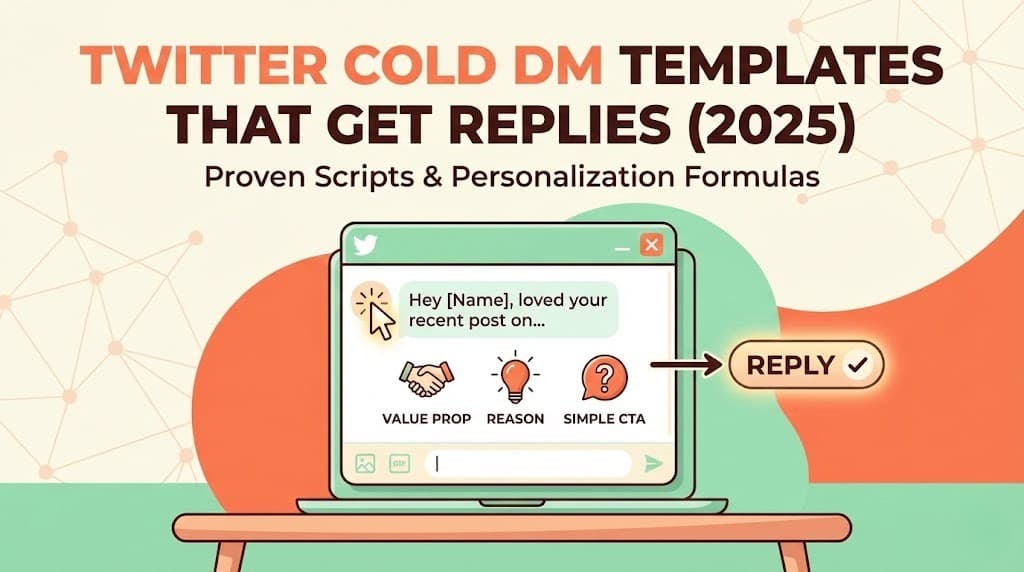
Need more starting points? Grab our Twitter cold DM templates that get replies.
Respect the Twitter DM Channel
Twitter DMs are personal. Treat them that way.
- Keep messages short (3-5 sentences max)
- No links in first messages
- Don't pitch immediately
- Match their communication style
- Accept "no" gracefully
- Never DM someone who asked you to stop
Follow Up with Automated DM Sequences (But Know When to Stop)
Most responses come on follow-up messages, not the initial outreach.
Recommended DM Sequence:
- Initial DM: Personalized conversation starter
- Follow-up 1 (Day 3-4): Brief check-in, add new value
- Follow-up 2 (Day 7-10): Different angle or question
- Break-up message (Day 14): Final touch, leave door open
Stop following up after 3-4 messages. Continuing past that hurts your reputation.
Combine DM Automation with Authentic Engagement
The best results come from mixing automated outreach with genuine platform activity. This is exactly what a Growth Loop Engine automates: outbound AI agents create posts, comment, like, and follow in your niche, while inbound AI agents capture anyone who engages (likes, comments, replies, story views), enrich them, score them, and auto-enroll qualified people into outreach. It runs on LinkedIn, X, and Instagram.
Daily Habits:
- Post 2-3 tweets of your own
- Reply thoughtfully to 5-10 posts in your niche
- Manually engage with high-value prospects
- Participate in relevant Twitter Spaces or communities
Automation handles scale. Human engagement builds your reputation.
Common Twitter DM Automation Mistakes
Learn from others' failures.
Sending Identical Automated DMs
Twitter's spam detection catches patterns. Even "personalized" messages with the same structure get flagged. If your messages only differ by name, you're not personalizing. You're mail merging.
Fix: Use AI-generated messages or write multiple template variants.
Skipping the Warm-Up Period
New accounts or accounts new to automation need 2-4 weeks of organic activity before automated outreach. Skipping this step is the fastest path to suspension.
Fix: Budget time for warm-up. Plan your launch date 3-4 weeks out.
Prioritizing DM Volume Over Quality
It's tempting to max out your daily limits. But 50 great messages beat 100 mediocre ones every time.
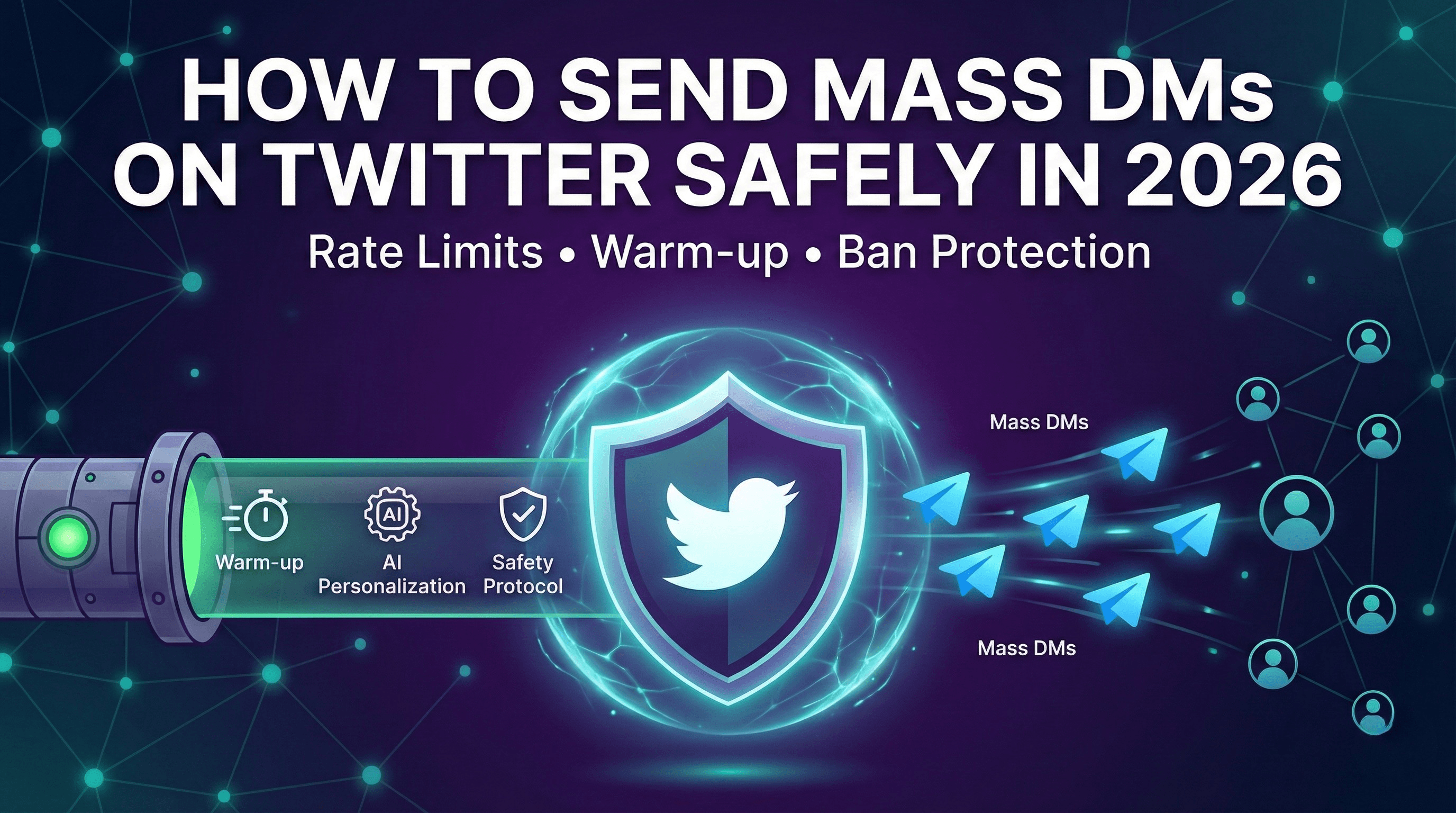
Fix: Start with lower volume and optimize messaging before scaling. If you do need higher volume, do it carefully: see how to send mass DMs on Twitter safely.
Ignoring DM Responses
Automation means nothing if you let conversations die. The whole point is generating conversations. Then you need to engage.
Fix: Set up notifications, check messages multiple times daily, respond within hours not days. Better yet, use a tool that drafts the reply for you (Copilot) or sends an approved one (Autopilot).
Using Obvious Automation Triggers
"Hey, love your content!" followed by an immediate pitch fools no one. Neither does referencing a tweet from 6 months ago as if you just saw it.
Fix: Reference recent activity, be specific, make personalization feel natural.
The Future of Twitter DM Automation
The space is evolving rapidly. Here's where things are heading, and much of it is already shipping.
AI That Handles Full DM Conversations
Current AI can write great opening messages. The next generation handles entire sales conversations: qualifying interest, handling objections, answering questions, and booking meetings, with you approving the wording when it matters. This is the AI SDR pattern, explained in what is an AI SDR.
Predictive, Signal-Driven Prospecting
Instead of targeting based on static lists, AI watches for buying signals and surfaces accounts the moment they show intent. Lead scoring moves from reactive to predictive, and timing becomes a first-class targeting input.
Multi-Channel Orchestration
Twitter DMs no longer exist in isolation. Modern automation coordinates across X, LinkedIn, Instagram, and email, creating unified sequences that meet prospects wherever they're most responsive. This is already the default for the strongest outbound programs.
Deeper DM Personalization
As AI improves, personalization goes beyond referencing tweets to understanding personality, communication style, likely objections, and optimal messaging timing for each individual prospect, all trained on your own best past messages.
Getting Started with Twitter DM Automation
Ready to start automating your Twitter DMs? Here's your roadmap.
Week 1: Foundation
- Audit your Twitter profile - Make it trustworthy and clear
- Define your ICP - Get specific about who you're targeting
- Research Twitter DM automation tools - Evaluate 2-3 options against the criteria above
- Set up tracking - Know what success looks like
Week 2-3: Warm-Up
- Increase organic activity - Post daily, engage consistently
- Build initial prospect lists - Start with 100-200 high-quality targets
- Draft messaging - Write 3-5 message variants and tune them in the simulator
- Set up your tool - Configure safety settings and integrations
Week 4: Launch Your Twitter DM Automation
- Start with 10-15 DMs/day - Conservative limits only
- Monitor everything - Response rates, account warnings, reply quality
- Iterate on messaging - Double down on what works
- Begin follow-up sequences - Catch non-responders
Week 5+: Scale Your Automated DM Outreach
- Increase to 30-50 DMs/day - If Week 4 went smoothly
- Expand prospect sources - Add signal-driven targeting and new criteria
- Add channels - Layer in LinkedIn, Instagram, and email for the same prospects
- Optimize the funnel - Improve conversation-to-meeting conversion with meetings booked on autopilot
Who This Is Really For
Twitter DM automation pays off most for founders, builders, and professionals who need clients but hate doing outreach manually: indie founders & builders, consultants & advisors, fractional executives (CFO, CTO, GTM), recruiters, agencies, and B2B service providers, anyone who sells services and needs a steady pipeline without a sales team. If your deals are tiny and high-volume, raw spray-and-pray channels may fit better. If you sell services and need clients, the leverage from reaching the right person at the right moment is enormous.
Key Takeaways
- Twitter DM automation sends personalized DMs at scale, follows up, and routes replies, without manual sending. Done right it is not spam.
- AI personalization wins: template-only DMs get flagged and ignored. AI-generated, editable messages keep response rates high.
- Signal-driven timing beats cold lists: reach buyers when they show intent, not weeks later.
- DMs are one channel of four: pairing X with LinkedIn, Instagram, and email compounds results.
- Glass-box beats black-box: a Conversation Simulator that lets you see and edit every reply removes the usual loss-of-control risk.
- Autopilot vs Copilot: automate routine threads, personally steer high-value ones, same AI and CRM behind both.
- Account safety is non-negotiable: warm-up, human-like delays, behavioral profiles, and a dedicated proxy keep you live.
- Pricing: Autoreach is $99/month, all features, AI credits included, or bring your own key with no markup. Optional dedicated proxy $15/mo.
Frequently Asked Questions
Is Twitter DM automation against Twitter's terms of service?
Twitter's ToS prohibits spam and platform manipulation, not all automation. The distinction is in how you do it. Personalized, value-adding outreach using automation is acceptable. Bulk spamming identical messages is not.
How much does Twitter DM automation cost?
Basic single-purpose tools run roughly $39 to $150 per month each, and you often need several to cover discovery, warm-up, sequencing, and AI replies. An all-in-one platform like Autoreach is $99/month for one account with every feature included, plus an optional dedicated ISP proxy for $15/month. You bring your own AI key, so AI usage has no markup and typically adds about $50/month.
Will Twitter DM automation get my account banned?
It can if you use it wrong. Tools without safety features, aggressive volume, or spammy messages will trigger suspensions. Quality tools with proper warm-up, human-like behavior, per-account profiles, and a clean dedicated proxy rarely cause issues.
What response rates should I expect from automated Twitter DMs?
Template-based outreach typically sees 5-15% response rates. AI-personalized messages with warm-up engagement achieve 25-40%. Your actual results depend on targeting quality, message relevance, and offer strength.
Can I use Twitter DM automation on a new account?
Technically yes, but expect a longer warm-up period (4-6 weeks vs. 2-3 for established accounts) and lower initial limits. New accounts are under more scrutiny.
Does it work on Instagram and email too, or only Twitter?
Yes. A modern engine like Autoreach runs one sequence across four channels: LinkedIn, X (Twitter), Instagram, and email (Gmail and Outlook with smart routing for deliverability). You can DM a prospect on X, connect on LinkedIn, and follow up by email inside the same sequence.
Can I control what the AI says before it sends?
Yes, and you should insist on it. Autoreach's Conversation Simulator lets you see and edit every AI reply before it goes out, A/B test prompts side by side, edit prompts per offer and per sequence, and train the AI's voice on your past best DMs. That is the glass-box approach, the opposite of black-box tools that hide their prompts.
What is the difference between Autopilot and Copilot?
Autopilot is a fully automated web app that finds buyers, sends across channels, handles replies, and books meetings hands-off. Copilot is a Chrome extension that reads your live LinkedIn and X DMs and suggests the next reply in real time so you stay in control. They share the same AI, data, and CRM, so you can mix both.
Start Automating Your Twitter DMs Today
Twitter DM automation isn't about blasting messages and hoping for the best. It's about using technology to deliver personalized, valuable outreach at a scale that would be impossible manually, and increasingly, across every channel your buyers actually use.
The companies winning with DM automation understand this distinction. They prioritize quality, reach buyers at the moment of intent, keep editorial control over the AI, and treat automation as leverage rather than a replacement for genuine engagement.
Try Autoreach, the AI Buyer Engine that detects buying signals across LinkedIn, X, Instagram, and email, scores every lead by fit, intent, and timing, runs cross-channel sequences, and books meetings on autopilot. One plan, every feature, an optional dedicated proxy (activation included, then $15/mo), and AI included to start. $99/month, set up in 30 minutes, cancel anytime.
Tags
Ready to find buyers worth contacting this week?
Autoreach detects buying signals across LinkedIn, X, Instagram, and email, then books meetings on autopilot.