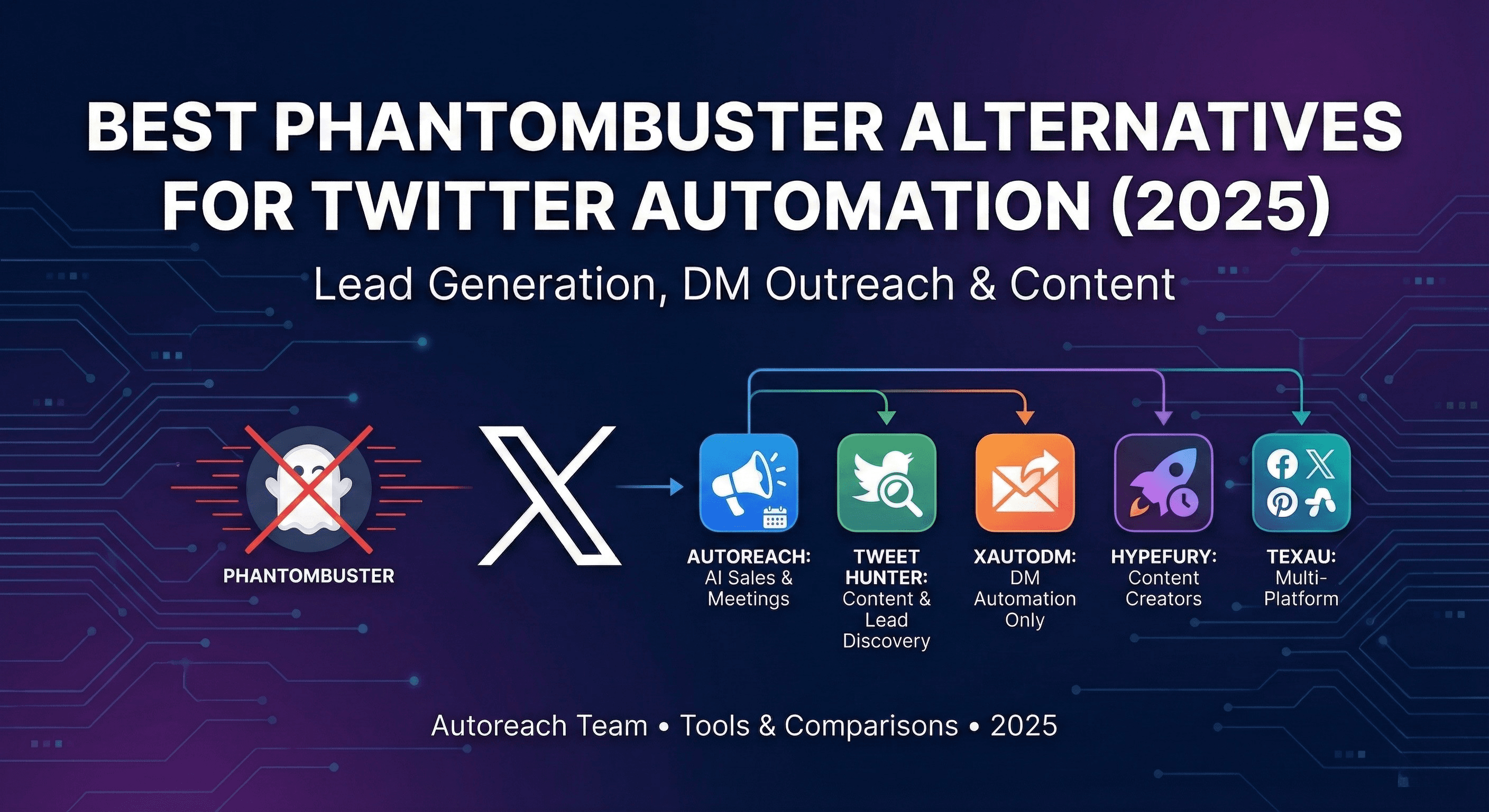
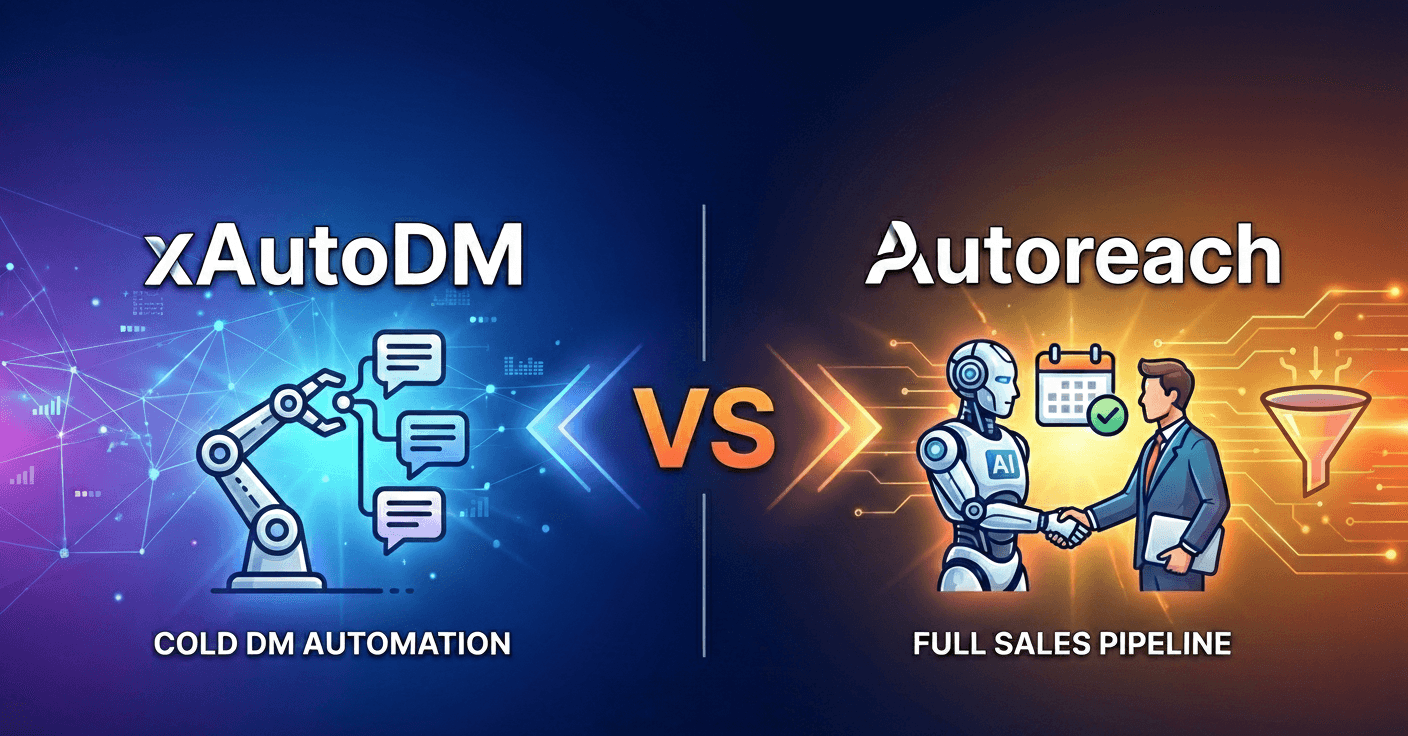
7 Best Twitter (X) Automation Tools for Outreach & Lead Gen (2026)
The best Twitter (X) automation tools for outreach, DMs, and booking B2B meetings in 2026. Compare Autoreach, Tweet Hunter, Hypefury, xAutoDM, Phantombuster, Buffer, and Hootsuite on pricing, features, and use case.
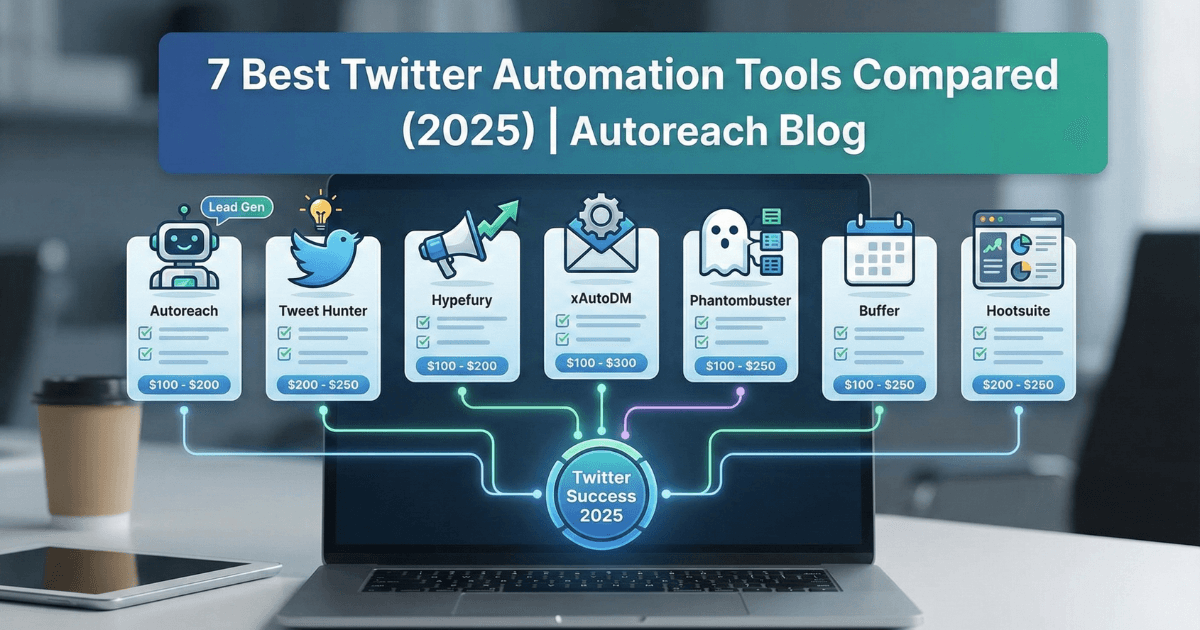
The best Twitter automation tool in 2026 depends on your goal. For B2B sales and booking meetings, Autoreach wins because it runs the full pipeline (signal detection, lead scoring, multichannel sequences, AI conversations, and meeting booking) across X, LinkedIn, Instagram, and email in one platform. For content growth, Tweet Hunter and Hypefury lead. For enterprise scheduling, Hootsuite fits best.
This comparison breaks down the 7 best Twitter automation tools available in 2026. We tested each platform, analyzed their features, compared current pricing, and identified exactly who each tool is for. Whether you are a creator growing an audience, a founder scaling outreach, or a team managing multiple accounts, this guide helps you pick the right tool for your goal.
Using Twitter (X) for B2B outreach and pipeline? See our focused guides on Twitter DM automation, running an AI SDR across X and LinkedIn, and acting on buyer intent signals before your competitors. Or try the free buyer scanner to see who is in-market right now.
Table of Contents
- Quick Verdict: Best Twitter Automation Tools 2026
- What to Look for in a Twitter Automation Tool
- 1. Autoreach: Best for AI-Powered Lead Generation
- 2. Tweet Hunter: Best for Content and Growth
- 3. Hypefury: Best for Creators and Engagement
- 4. xAutoDM: Best for DM Automation
- 5. Phantombuster: Best for Data Extraction
- 6. Buffer: Best for Basic Scheduling
- 7. Hootsuite: Best for Enterprise Teams
- Feature Comparison Table
- Pricing Comparison
- How to Choose the Right Tool
- Key Takeaways
- FAQ
Quick Verdict: Best Twitter Automation Tools 2026
Before the detailed reviews, here is the quick breakdown of which Twitter automation tool is best for different use cases:
| Tool | Best For | Starting Price | Key Strength |
|---|---|---|---|
| Autoreach | B2B sales teams, founders | $99/mo | All-in-one buyer engine: signal to meeting, 4 channels, optional proxy ($15/mo), no AI markup |
| Tweet Hunter | Content creators, marketers | $49/mo | Viral tweet library plus AI writing |
| Hypefury | Creators, personal brands | $29/mo | Thread scheduling plus engagement automation |
| xAutoDM | Sales teams needing DM focus | $29 to $59/mo | AI-personalized DM campaigns |
| Phantombuster | Data-driven marketers | $69/mo | Multi-platform scraping and extraction |
| Buffer | Small businesses, beginners | $5/mo/channel | Simple, clean scheduling interface |
| Hootsuite | Enterprise, agencies | $99/mo | Comprehensive social media management |
Our Top Pick for 2026: If your goal is generating leads and booking meetings, Autoreach stands out as the only tool here that runs the complete pipeline automatically with AI, and it does it across four channels (X, LinkedIn, Instagram, and email) instead of just one. For content-focused growth, Tweet Hunter offers the best combination of inspiration and scheduling.
What to Look for in a Twitter Automation Tool
Before choosing a Twitter automation tool, understand which features actually matter for your goals. Not every tool needs every feature, but some capabilities are essential depending on your use case.
Account Safety Features
This is non-negotiable. X actively detects and punishes automation that looks like spam. The best Twitter automation tools in 2026 include:
- Rate limiting: automatic limits that stay within X's thresholds
- Human-like delays: randomized pauses and typing simulation between actions
- Warm-up protocols: gradual scaling for new accounts
- Activity distribution: actions spread throughout the day
- A dedicated proxy: a clean, residential-grade IP per account so your activity does not share a flagged datacenter address
Any tool promising "unlimited" anything without safety guardrails will eventually get your account suspended. Autoreach goes further with browser-grade TLS fingerprinting that is indistinguishable from a human at the packet level, plus an optional dedicated ISP proxy ($15/mo).
Personalization Capabilities
Generic automation gets ignored. In 2026, your Twitter automation tool should offer:
- AI-generated messages: unique content for each recipient
- Context-aware outreach: references to recent posts or bio details
- Editable AI: you should be able to see and edit every reply before it sends, not trust a black box
- Conversation handling: intelligent responses, not just blasts
Signal-Driven Timing
The biggest shift in 2026 is timing. The best outreach reaches a buyer at the moment of intent, not as a cold blast to a stale list. Look for tools that detect buying signals (pain points, hiring spikes, funding, tool-evaluation conversations, role changes) and act within minutes. This is where signal-driven platforms pull far ahead of spray-and-pray DM tools. We cover the logic in why timing beats messaging.
Analytics, Integrations, and Multichannel
You cannot improve what you do not measure, and most buyers now live on more than one platform. Look for:
- Response and reply-rate tracking: know which messages perform best
- CRM integrations: sync leads with Salesforce, HubSpot, or Pipedrive
- Calendar connections: book meetings directly
- Multichannel reach: run one sequence across X, LinkedIn, Instagram, and email instead of stitching three tools together
Now let's examine each of the 7 best Twitter automation tools in detail.
1. Autoreach: Best for AI-Powered Lead Generation
Best for: B2B sales teams, founders, and anyone who wants to book meetings on autopilot.
Autoreach takes a fundamentally different approach. While most tools focus on one slice of the puzzle (scheduling, DMs, or extraction), Autoreach is an all-in-one AI Buyer Engine that runs the entire pipeline, from detecting buying signals to booking meetings on your calendar. It started on X and is now multichannel: a single sequence can run across X, LinkedIn, Instagram, and email.
How Autoreach Works
The platform operates as an autonomous system:
- Signal detection: 20+ signal types are monitored 24/7 with under 2 minute detection latency, including pain points, hiring spikes, funding, tool-evaluation conversations, and direct intent like "anyone recommend a tool for...".
- Lead scoring: every lead is scored by fit, intent, and timing into a composite Buyer Score, so you contact the people who need what you sell.
- Warm-up engagement: AI engages with prospect content authentically before any DM, so your name is already recognized when you reach out.
- Personalized outreach: each message is written fresh by AI based on the prospect's profile, bio, and recent activity, and routed to the right channel.
- Conversation handling: when prospects reply, the AI continues the conversation, handles objections, qualifies interest, and books the call directly into your calendar.
Autoreach Key Features
Two modes: Autopilot and Copilot
Autopilot is the fully automated web app. Copilot is a Chrome extension that reads your live LinkedIn and X DMs and suggests replies in real time. Same AI, same data, same CRM. Most competitors sell only one of these.
Glass-box editable AI plus a live simulator
The Conversation Simulator lets you see and edit every AI reply before it sends, A/B test prompts side by side, and fully edit prompts per offer and per sequence. Voice training learns from your past best DMs. It is glass-box, not black-box, unlike tools that lock you into templates or hide their prompts.
Free Buyer Signal Scan
Paste a website into the free, no-login Buyer Signal Scan and get named decision makers with verified LinkedIn profiles plus a suggested messaging angle per person, in about 20 seconds.
Growth Loop Engine
Outbound AI agents create posts and reels, comment, like, and follow in your niche. Inbound AI agents capture anyone who engages (likes, comments, replies, story views), enrich and score them, and auto-enroll qualified people into outreach. Runs on X, LinkedIn, and Instagram.
Account safety built in
Browser-grade TLS fingerprinting, per-account behavioral profiles, human-like delays, typing simulation, automatic cooldowns, and an optional dedicated ISP proxy ($15/mo) for every account.
Autoreach Pricing
Autoreach is $99/month for the Self-Serve plan: all platforms included (LinkedIn, X, Instagram, Email) and all features, with an optional dedicated proxy for $15/month. You bring your own OpenAI or Anthropic key (BYOK) with AI included to start, with no markup if you bring your own key, typically about $20 to $50/month in AI cost. Set up in 30 minutes, cancel anytime. Need more accounts? Talk to us. A Done-For-You option is $299 setup, then $200 per meeting booked: the Autoreach team sets everything up in one 30-minute call and runs Autoreach for you across all platforms, and you pay $200 per meeting that lands in your calendar, nothing else until meetings happen.
Autoreach is not the cheapest tool on this list, and it does not try to be. The value is that one $99/month plan replaces a stack: lead discovery, signal detection, warmup, multichannel sequencing, AI conversations, and meeting booking. Buying three or four point tools to match that, plus a proxy and marked-up AI, costs far more.
Autoreach Limitations
- Sales-focused: built for people who sell services and need clients, not brand-awareness content
- Learning curve: the AI benefits from some initial training on your offer
- Best for relationship-driven sales: designed for booking meetings, not high-volume transactional sends
Who Should Use Autoreach
Autoreach is ideal for founders, builders, consultants, agencies, recruiters, and anyone who sells services and needs a steady pipeline of clients without a sales team. That includes indie founders and builders, consultants and advisors, fractional executives, recruiters, agencies, and B2B service providers.
If your primary goal is content scheduling or growing followers, other tools fit better. But for Twitter lead generation that converts to revenue, Autoreach is the clear leader among Twitter automation tools in 2026. It has scored 86,850+ leads, sees a 40% reply rate, and books about 2 meetings per day for active users.
2. Tweet Hunter: Best for Content and Growth
Best for: Content creators, marketers, and anyone focused on building an audience through high-performing tweets.
Tweet Hunter is one of the most popular Twitter automation tools for creators. The platform combines content inspiration, AI writing assistance, and scheduling with some basic automation features.
Tweet Hunter Key Features
Viral Tweet Library
Access to over 3 million high-performing tweets searchable by topic, niche, or engagement level. This library serves as endless inspiration when you do not know what to post.
AI Tweet Writer
The AI generates tweet ideas, complete threads, and rewrites based on your prompts. It is useful for overcoming writer's block or adapting successful formats to your niche.
TweetPredict
Before publishing, Tweet Hunter predicts how well your tweet will perform based on historical data. This helps you refine content before it goes live.
Scheduling and Queue Management
Standard scheduling features with optimal time suggestions based on when your audience is most active. Thread scheduling is well-implemented.
Auto-DM on Engagement
Basic automation that sends a preset DM when someone likes, retweets, or replies to specific tweets. Useful for lead magnets or newsletter signups.
Tweet Hunter Pricing
- Discover Plan: $49/month for scheduling, analytics, and viral library
- Grow Plan: $99/month adds AI writer, CRM features, and lead finder
- 7-day free trial available
Tweet Hunter Limitations
- DM automation is basic: auto-DMs are template-based, not AI-personalized
- No conversation handling: DM responses require manual management
- Content-focused: limited features for sales outreach or lead generation
Who Should Use Tweet Hunter
Tweet Hunter works best for creators building personal brands, marketers focused on content, and anyone prioritizing follower growth over lead generation.
If you need sophisticated DM automation, Tweet Hunter's basic auto-DM feature will not be enough. But for content-first Twitter growth, it is one of the best Twitter automation tools available. See our full Tweet Hunter alternative breakdown for a sales-focused comparison.
3. Hypefury: Best for Creators and Engagement
Best for: Personal brands, creators monetizing their audience, and anyone wanting engagement-focused automation.
Hypefury has carved out a strong position among Twitter automation tools for creators. The platform emphasizes helping users grow and monetize through threads, engagement, and cross-posting.
Hypefury Key Features
Thread Scheduling
One of the best thread composers available. Create, preview, and schedule threads with ease. The interface makes long-form X content manageable.
Engagement Automation
Automatic retweets of your best content, engagement with followers who interact with your posts, and comment automation keep your profile active even when you are not.
Cross-Posting
Publish simultaneously to X, LinkedIn, Instagram, and Threads. Useful for creators building presence across multiple platforms.
Sales Automation
The auto-plug feature adds a promotional tweet to threads that perform well. Helps monetize viral content automatically.
Evergreen Content Recycling
Automatically republish your best-performing content at optimal intervals. Good content should not be one-and-done.
Hypefury Pricing
- Starter: $29/month for basic scheduling and automation
- Creator: $65/month for full automation features
- Business: $97/month for higher limits and more accounts
- Agency: $199/month for managing multiple clients
- 7-day free trial available
Hypefury Limitations
- Limited DM capabilities: no meaningful DM automation for outreach
- Twitter-centric: cross-posting exists but X remains the primary focus
- Not for sales: designed for creators, not B2B lead generation
Who Should Use Hypefury
Hypefury fits personal brand builders, creators selling courses or coaching, and anyone who wants to automate engagement and growth.
For sales teams or B2B companies, Hypefury is not the right Twitter automation tool. See our Hypefury vs Autoreach comparison if you are weighing content automation against lead generation. For creators, though, it ranks among the best Twitter automation tools for 2026.
4. xAutoDM: Best for DM Automation
Best for: Sales teams and marketers who want focused DM automation without a full platform.
xAutoDM specializes in one thing: automating Twitter DMs. Unlike broader platforms, it dedicates all its features to making DM outreach more effective and scalable.
xAutoDM Key Features
AI-Personalized Messages
The AI analyzes each prospect's profile, bio, and recent posts to craft unique messages. No two DMs are identical, which helps avoid spam detection.
Lead Scraping
Extract followers from any account, people engaging with specific posts, or users matching keyword criteria. Build targeted lists quickly.
Campaign Management
Set up multi-step sequences with automated follow-ups. Track which messages perform best and optimize over time.
Real-Time Analytics
Monitor open rates, response rates, and campaign performance. Identify what is working and double down.
CSV Export
Export leads and conversations to plug into your CRM or analyze externally.
xAutoDM Pricing
- Starter: around $29 to $59/month for basic features and limited DMs
- Pro/Growth: $67 to $167/month for higher limits and advanced features
- Enterprise: custom pricing for teams and custom integrations
- 3-day free trial available
xAutoDM Limitations
- DMs only: no content scheduling, no posting, no analytics beyond DM campaigns
- No meeting booking: conversations need manual follow-up to schedule calls
- No warm-up automation: you handle engagement separately
- Single channel: X only, so you cannot follow a prospect to LinkedIn or email in the same sequence
Who Should Use xAutoDM
xAutoDM works for sales teams adding DM outreach to existing workflows and marketers who already have content covered elsewhere.
If you need a complete solution with warm-up, conversation handling, meeting booking, and multichannel reach, xAutoDM only covers part of the pipeline. See the xAutoDM vs Autoreach comparison for the full picture. For automating Twitter DMs without getting banned, it is a solid focused option.
5. Phantombuster: Best for Data Extraction
Best for: Data-driven marketers, growth hackers, and anyone needing multi-platform extraction.
Phantombuster is not a Twitter-specific tool. It is a broader automation platform with "Phantoms" (pre-built scripts) for extracting data and automating actions across LinkedIn, Instagram, X, and other platforms.
Phantombuster Key Features
Twitter Profile Scraper
Extract detailed information from any X profile including bio, follower count, following count, and recent activity.
Follower Extraction
Pull complete follower lists from any public account. Filter by criteria like bio keywords, follower count, or verification status.
Auto-Follow/Unfollow
Automated following based on search criteria or extracted lists. Useful for growing your audience strategically.
Tweet Liker
Automatically like tweets from target accounts or hashtags. Basic warm-up functionality.
Multi-Platform Support
The same platform works for LinkedIn, Instagram, and other networks. One tool for cross-platform extraction.
Phantombuster Pricing
- Starter: $69/month for 20 hours execution, 5 Phantom slots
- Pro: $159/month for 80 hours, 15 Phantom slots
- Team: $439/month for 300 hours, 50 Phantom slots
- 14-day free trial available
Phantombuster Limitations
- Technically complex: not as plug-and-play as dedicated tools
- Execution-time based: pricing tied to how long Phantoms run
- No conversation features: data extraction only, no DM sending or handling
- Multi-platform but shallow: Twitter features are not as deep as specialized tools
Who Should Use Phantombuster
Phantombuster fits growth hackers building lead lists, marketers needing raw data, and technical users comfortable building workflows. See our roundup of the best Phantombuster alternatives for outcome-focused options.
For pure Twitter automation focused on outcomes like meetings booked or leads generated, Phantombuster provides building blocks rather than a complete solution.
6. Buffer: Best for Basic Scheduling
Best for: Small businesses, beginners, and anyone wanting simple, reliable scheduling without complexity.
Buffer has been around since the early days of social media management. It remains one of the most user-friendly Twitter automation tools for basic scheduling needs.
Buffer Key Features
Simple Scheduling
The clean interface makes scheduling posts effortless. Queue up content and let Buffer post at optimal times.
Multi-Platform Publishing
Schedule posts to X, LinkedIn, Instagram, Facebook, Pinterest, and more from one dashboard.
Basic Analytics
Track post performance, engagement rates, and best posting times. Nothing fancy but it covers the basics.
Team Collaboration
Approval workflows and shared access for teams managing social together.
Browser Extension
Quickly add content to your queue from anywhere on the web.
Buffer Pricing
Buffer uses per-channel pricing:
- Free: 3 channels, 10 scheduled posts per channel
- Essentials: $5/month per channel, unlimited scheduling
- Team: $12/month per channel, collaboration features
For example, managing X and LinkedIn costs $10 to $24/month depending on the plan.
Buffer Limitations
- No automation beyond scheduling: no DMs, no engagement automation, no extraction
- Per-channel pricing adds up: gets expensive with multiple accounts
- Basic features: many competitors offer more for similar prices
- No AI features: no content suggestions or writing assistance
Who Should Use Buffer
Buffer works for small businesses starting with social media, users who only need scheduling, and budget-conscious teams with few channels.
Buffer is not one of the best Twitter automation tools for serious growth or lead generation. But for reliable, simple scheduling, it does the job.
7. Hootsuite: Best for Enterprise Teams
Best for: Large organizations, agencies, and teams needing comprehensive social media management with enterprise features.
Hootsuite is the legacy leader in social media management. While not the most innovative Twitter automation tool, it offers enterprise-grade features for organizations managing social at scale.
Hootsuite Key Features
Unified Inbox
Manage messages, mentions, and comments across all social platforms from one interface.
Advanced Scheduling
Bulk scheduling, optimal time suggestions, and content calendar views for planning at scale.
Social Listening
Monitor brand mentions, competitor activity, and industry keywords across platforms.
Team Management
Role-based permissions, approval workflows, and task assignment for large teams.
Comprehensive Analytics
Custom reports, competitive benchmarking, and ROI tracking for enterprise needs.
Nine Platform Support
Covers X, Facebook, Instagram, LinkedIn, TikTok, Pinterest, YouTube, Threads, and WhatsApp Business.
Hootsuite Pricing
- Professional: $99/month (annual) for up to 10 social accounts
- Team: $249/month (annual) for 20 accounts and 3 users
- Enterprise: starting at $15,000/year for unlimited accounts and users
- 30-day free trial available
Note: monthly billing costs significantly more (up to 60% higher).
Hootsuite Limitations
- Expensive: one of the pricier options, especially at enterprise level
- No free plan: unlike many competitors
- Complex interface: feature-rich but can be overwhelming
- Management, not outreach: more management than outbound automation
- DM features basic: no AI-powered outreach capabilities
Who Should Use Hootsuite
Hootsuite fits enterprise companies with dedicated social teams, agencies managing many client accounts, and organizations needing compliance and approval workflows.
For small teams or those focused on Twitter-specific outreach, Hootsuite is likely overkill. But for enterprise social media management, it remains among the best Twitter automation tools available.
Feature Comparison Table
Here is how the 7 best Twitter automation tools compare across key features:
| Feature | Autoreach | Tweet Hunter | Hypefury | xAutoDM | Phantombuster | Buffer | Hootsuite |
|---|---|---|---|---|---|---|---|
| Content Scheduling | ✅ | ✅ | ✅ | ❌ | ❌ | ✅ | ✅ |
| AI Content Writing | ✅ | ✅ | 🟡 | ❌ | ❌ | ❌ | 🟡 |
| DM Automation | ✅ | 🟡 | ❌ | ✅ | ❌ | ❌ | ❌ |
| Signal Detection | ✅ | ❌ | ❌ | ❌ | ❌ | ❌ | ❌ |
| Conversation Handling | ✅ | ❌ | ❌ | 🟡 | ❌ | ❌ | ❌ |
| Meeting Booking | ✅ | ❌ | ❌ | ❌ | ❌ | ❌ | ❌ |
| Lead Extraction | ✅ | 🟡 | ❌ | ✅ | ✅ | ❌ | ❌ |
| Warm-Up Automation | ✅ | ❌ | 🟡 | ❌ | 🟡 | ❌ | ❌ |
| Multichannel (LinkedIn/IG/Email) | ✅ | 🟡 | 🟡 | ❌ | 🟡 | ✅ | ✅ |
| Dedicated Proxy (optional, $15/mo) | ✅ | ❌ | ❌ | 🟡 | ❌ | ❌ | ❌ |
| No AI Markup (BYOK) | ✅ | ❌ | ❌ | ❌ | ❌ | ❌ | ❌ |
✅ Full support | 🟡 Limited/Basic | ❌ Not available
Autoreach's Growth Loop Engine also posts content and captures inbound engagers, which is why it now scores a full check on content scheduling rather than the sales-only "no" it would have a year ago.
Pricing Comparison
Understanding the true cost of each Twitter automation tool helps with budgeting:
| Tool | Starting Price | Mid-Tier | Enterprise/Agency |
|---|---|---|---|
| Autoreach | $99/mo | all platforms included, BYOK | $299 setup + $200/meeting booked |
| Tweet Hunter | $49/mo | $99/mo | N/A |
| Hypefury | $29/mo | $65/mo | $199/mo |
| xAutoDM | ~$29/mo | ~$67/mo | Custom |
| Phantombuster | $69/mo | $159/mo | $439/mo |
| Buffer | $5/mo/channel | $12/mo/channel | N/A |
| Hootsuite | $99/mo | $249/mo | $15,000+/yr |
Value Analysis:
- Best budget scheduling: Buffer for basic scheduling only
- Best mid-range: Hypefury for creators, xAutoDM for DM focus
- Best ROI for sales: Autoreach at $99/month replaces a whole stack. To match it you would buy a lead-finder, a DM tool, a warmup tool, a multichannel sequencer, and an AI conversation layer, then add a proxy and marked-up AI on top. Autoreach bundles all of that, offers an optional dedicated ISP proxy ($15/mo), and charges AI included to start, with no markup if you bring your own key (BYOK, about $50/month in AI cost).
- Best enterprise: Hootsuite for comprehensive management
How to Choose the Right Tool
Selecting the best Twitter automation tool depends on your primary goal:
If Your Goal is Booking Meetings and Generating Revenue
Choose Autoreach. It is the only tool here that runs the complete pipeline, from signal detection and lead scoring through conversation handling to calendar booking, and it does it across X, LinkedIn, Instagram, and email. One plan covers what would otherwise be three or four point tools, with BYOK (no AI markup) included and an optional dedicated proxy ($15/mo). See how to book meetings on autopilot with AI.
If Your Goal is Growing Your Audience Through Content
Choose Tweet Hunter or Hypefury. Both excel at producing and scheduling engaging content. Tweet Hunter edges ahead on AI writing and viral inspiration. Hypefury wins on engagement automation and cross-posting.
If Your Goal is DM Outreach Without Full Automation
Choose xAutoDM. It handles AI-personalized DMs well without the broader platform features. Good if you already have content covered elsewhere and only need X.
If Your Goal is Data Extraction and List Building
Choose Phantombuster. Multi-platform extraction is unmatched. Best for technical users comfortable building workflows.
If Your Goal is Simple Scheduling on a Budget
Choose Buffer. The free plan works for basic needs. Paid plans are affordable for simple scheduling across platforms.
If Your Goal is Enterprise Social Media Management
Choose Hootsuite. Team features, compliance tools, and comprehensive management justify the enterprise price for large organizations.
Key Takeaways
- The best Twitter automation tool in 2026 for B2B sales is Autoreach: it runs signal detection, lead scoring, warmup, multichannel sequences, AI conversations, and meeting booking in one platform.
- Autoreach is now multichannel: one sequence runs across X, LinkedIn, Instagram, and email (Gmail and Outlook with smart routing), not X alone.
- At $99/month, Autoreach is not the cheapest, but it replaces a stack of point tools and includes AI included to start, with no markup if you bring your own key (BYOK, about $50/month in AI cost), with an optional dedicated ISP proxy ($15/mo).
- For content and audience growth, choose Tweet Hunter or Hypefury. For DM-only outreach, xAutoDM. For data extraction, Phantombuster. For enterprise scheduling, Hootsuite. For simple scheduling, Buffer.
- Signal-driven timing (reaching a buyer at the moment of intent) now beats cold-list spray, which is the main reason all-in-one buyer engines outperform single-feature DM tools.
- Account safety still matters most: pick tools with rate limiting, human-like delays, warmup, and a dedicated proxy.
Frequently Asked Questions
What is the best Twitter automation tool for lead generation in 2026?
For lead generation, Autoreach leads. Unlike tools that only extract leads or send DMs, it runs the full cycle: detecting buying signals, scoring every lead by fit, intent, and timing, warming prospects up, sending AI-personalized messages, handling conversations, and booking meetings automatically across X, LinkedIn, Instagram, and email. That all-in-one, multichannel coverage makes it the best Twitter automation tool for B2B lead generation.
Does Autoreach work on Instagram and email too, or just Twitter?
Yes. Autoreach started on X but is now a four-channel platform: X, LinkedIn, Instagram, and email (Gmail and Outlook, with smart routing so Gmail messages send to Gmail and Outlook to Outlook for deliverability). A single sequence can run across all four channels, and the AI routes each message to the channel where the prospect is most reachable.
Is Twitter automation against X's rules?
X allows automation that adds value and enhances user experience. What it prohibits is spam, platform manipulation, and behavior that degrades the experience for real users. The best Twitter automation tools stay within these boundaries through rate limiting, personalization, human-like behavior, and a dedicated proxy. Bulk identical messages will get you banned. AI-personalized outreach with proper safety measures will not. See how to automate Twitter DMs without getting banned.
How much should I budget for Twitter automation tools?
Budget depends on your goal: basic scheduling runs $5 to $50/month, content and growth $49 to $99/month, DM automation $29 to $167/month, and enterprise social management $1,000 to $15,000+/year. For full, multichannel lead generation, Autoreach is $99/month with BYOK (no AI markup, about $20 to $50/month in AI cost) and an optional dedicated proxy ($15/mo). The key is matching tool cost to expected outcomes: a couple of booked meetings usually covers the year.
Why is Autoreach $99/month when some tools are cheaper?
Because one Autoreach plan replaces a stack. To match it with point tools you would pay for a lead-finder, a DM tool, a warmup tool, a multichannel sequencer, and an AI conversation layer, then add a proxy and marked-up AI usage on top. Autoreach bundles all of that, offers an optional dedicated ISP proxy ($15/mo), and charges zero markup on AI (you bring your own key). Stacking the equivalent point tools costs far more than $99.
What response rates should I expect from Twitter DM automation?
Response rates vary by approach: cold template-based DMs see 3 to 8%, personalized AI messages without warmup 10 to 20%, and AI messages with warmup engagement 25 to 40%. Autoreach reports a 40% reply rate by combining warmup, signal-driven timing, and fresh AI personalization. The best Twitter automation tools achieve higher rates through proper warmup and genuine personalization.
Can I see and edit the AI messages before they send?
Yes, with Autoreach. The Conversation Simulator shows every AI reply before it sends, lets you A/B test prompts side by side, and makes prompts fully editable per offer and per sequence. Voice training learns from your past best DMs. It is glass-box, not black-box, which is a key difference from tools that lock you into fixed templates or hide their prompts.
Can I use multiple Twitter automation tools together?
Yes, many users combine tools. A common setup uses Tweet Hunter or Hypefury for content and scheduling alongside Autoreach for lead generation and multichannel outreach. Just be careful not to exceed safe activity limits across combined tools, and watch for proxy or fingerprint conflicts if two tools drive the same account.
Start Automating Your Twitter Strategy
The best Twitter automation tool for 2026 depends on your goal. Content creators thrive with Tweet Hunter or Hypefury. Enterprise teams manage at scale with Hootsuite. And for founders and sales teams who want pipeline, Autoreach turns buying signals into booked meetings without the manual grind.
Try Autoreach, the AI Buyer Engine that detects buying signals across LinkedIn, X, Instagram, and email, scores every lead by fit, intent, and timing, runs cross-channel sequences, and books meetings on autopilot. One plan, every feature, AI included to start, with no markup if you bring your own key, and an optional dedicated proxy ($15/mo). $99/month, set up in 30 minutes, cancel anytime.
Tags
Ready to find buyers worth contacting this week?
Autoreach detects buying signals across LinkedIn, X, Instagram, and email, then books meetings on autopilot.